
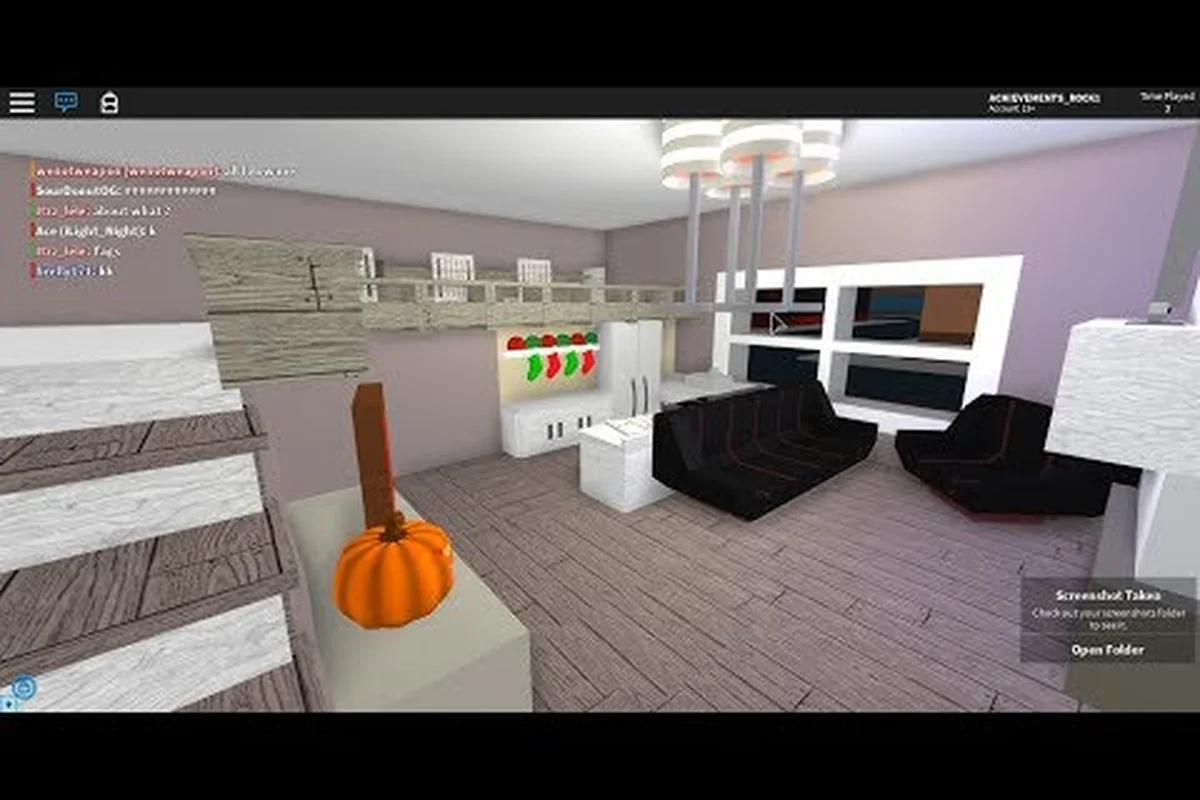
A plot of land, a handful of in-game cash, and a clear plan are all you need to start building in Roblox High School. This roblox high school house build guide walks through every step of turning an empty lot into a livable home, from the moment you claim the plot to the day you invite classmates over for a house showcase. The system has never published an official price list, so most of the budget figures below come from community speed-build videos and player-reported averages as of mid-2026. Treat them as yardsticks, not contracts, because update patches occasionally shift item costs.
Claiming Your House Plot and Understanding the Build Area
Every build in Roblox High School starts the same way: walk onto an unclaimed lot and the game prompts you to take ownership. Once a plot is yours, a build grid appears, furniture unlocks become purchasable, and a small storage radius defines the area where you can place items. Most beginners underestimate how much vertical space they have. The grid is taller than it looks, and stacking on the second floor early is what separates a cramped studio from a sprawling two-story layout.
Plot Sizes and What Fits Where
Plots are not all equal. A few are narrow but tall (great for townhouse builds), while others are wide and short (better for ranch-style designs). Community testing suggests the largest residential lots are roughly 1.5× the footprint of the smallest starter plots, which matters when planning a roblox high school custom house with more than one room.
| Plot Type | Footprint (community estimate) | Best Suited For | Avg. Buy-In Cash |
|---|---|---|---|
| Starter | 1× baseline | Studio apartment | ~500 |
| Standard | 1.25× baseline | 2–3 room build | ~1,200 |
| Premium | 1.5× baseline | Two-story, multi-room | ~2,500 |
Players often ask about roblox high school how to get a big house, and the short answer is grind cash first, then grab a Premium plot when the budget allows. A bigger footprint is the single biggest factor in how impressive the finished build looks, even before you spend a single dollar on furniture.
Budgeting Cash Before You Build
Roblox High School runs on an in-game economy where almost every wall, floor tile, and chair carries a price tag. Because the developer has not published an official price list, community videos are the most reliable reference. A small apartment build is commonly priced at around 8,000 in-game cash, while a cozy cabin comes in at roughly 4,000. These numbers come from speed-build recordings where players narrate each purchase in real time, so they are a fair starting point for planning.
Build Tiers and Realistic Cash Floors
A tiered budget keeps expectations honest. Trying to furnish every room with top-tier items on a starter budget leads to half-finished walls and empty corners, so most experienced builders pick a tier and stick to it. The table below reflects community-reported averages across the most common build styles, not a developer-confirmed price sheet.
| Build Tier | Estimated Total Cost | Room Count | Visual Polish |
|---|---|---|---|
| Cozy Cabin | ~4,000 | 1–2 | Warm but minimal |
| Standard Apartment | ~8,000 | 2–3 | Balanced and tidy |
| Luxury Custom | ~20,000+ | 4+ | Showcase-ready |
Treat each tier as a target, not a hard cap. The community-reported figures are useful for pacing your grind, but actual costs can shift after patches. For a deeper look at cheap-versus-luxury tradeoffs, the house decoration guide covers how to stretch each tier further.
Step-by-Step Build Order That Saves Rework
New players tend to buy walls, then floors, then furniture in a random order, and end up deleting half of it because the layout does not flow. A predictable build order keeps the rework to a minimum. The order below comes from observing speed-build creators and noting which sequence produces the fewest mid-build tear-downs.
Phase 1: Foundation and Exterior Walls
Start with the floor tiles, then raise the exterior walls. This locks in the house plot footprint and gives a sense of scale before any interior work begins. Players who skip this step often place furniture that later has to be moved because the room shape changes underneath it. A solid foundation also makes it easier to demo a build to friends, because the silhouette reads clearly from the street.
Phase 2: Interior Walls and Doors
Once the shell is up, drop interior walls one room at a time. Most builders do living room first, then kitchen, then bedroom, because that order matches how classmates move through the space during a roblox high school house showcase. Doors are cheap and add a surprising amount of realism, so do not skip them.
Phase 3: Furniture, Decor, and Final Touches
Furniture comes last, and this is where the budget matters most. Many players front-load the cost on a single statement piece (a large sofa, a custom bed) and then fill the rest of the room with budget items. The house ideas roundup is a useful reference for room-specific layouts that have been shared widely by the community.
House Design Ideas That Work Across Budgets
A good design does not require a luxury budget, but it does require restraint. The most popular roblox high school house design ideas share a few patterns: one focal point per room, consistent color palettes, and a clear theme that runs from the front door to the back. Builders who try to mix three themes in one house often end up with a cluttered look that reads as unfinished.
Theme Combinations and Their Feel
Themes are how a build gets a personality. The table below lists combinations that show up repeatedly in player showcases, along with the kind of statement piece that anchors each one.
| Theme | Anchor Piece | Common Palette | Budget Tier |
|---|---|---|---|
| Modern Minimalist | Low-profile sofa | White + gray + black | Standard |
| Cozy Cabin | Stone fireplace | Brown + cream + forest | Cozy |
| Luxury Penthouse | Chandelier | Gold + charcoal | Luxury |
| Beach Bungalow | Hammock | Aqua + sand + coral | Standard |
For inspiration on layouts that match each theme, builders often browse the house tutorial collection for screenshots and short walkthroughs. A second look at the same design, after a break, also helps because first impressions tend to be optimistic and a second pass catches clutter that the first one missed.
Showcasing Your Finished Home
A finished build deserves an audience. Hosting a roblox high school house showcase is the easiest way to get feedback, attract visitors, and learn which parts of the build read well from a walker's perspective. Most showcases are short, unscripted walks through the front door, around the main floor, and out the back, with the host occasionally stopping to explain a design choice.
Setting Up a Showcase That Runs Smoothly
A few small habits make a showcase feel professional rather than chaotic. First, clear all clutter and storage items before filming, because the camera does not know which boxes are decorative and which are temporary. Second, stand near the front door when classmates arrive so the path inside is obvious. Third, keep the walk under five minutes because attention drops fast after that. Creators like Jc.Designz have built a following on Roblox High School with exactly this format, and a community speed-build example shows how a tight walkthrough keeps viewers engaged.
Hosting Tips for First-Time Builders
First showcases are usually nerve-wracking, but a calm host makes the tour feel relaxed. Greet visitors at the door, walk at a steady pace, and answer questions in chat while moving. If a room is still a work in progress, say so — most classmates respect honesty more than a polished bluff. Builders who want to compare a cabin and an apartment build side by side can also browse this cozy cabin speed-build for a sense of how the budget tier plays out in practice.
Advanced Tips for Bigger, More Ambitious Builds
Once the basics feel routine, the next step is pushing toward a roblox high school custom house that stands out on a busy server. Three habits separate the ambitious builders from the casual ones: planning the layout on paper before placing a single tile, using symmetry to anchor the eye, and saving a backup of the build after every major milestone. Save points are free, and a single misclick can erase an hour of work, so the discipline pays for itself quickly.
Using Multi-Story Layouts Effectively
A second floor is one of the cheapest ways to make a build feel bigger because it adds usable space without expanding the footprint. Builders who want to add a rooftop patio or a balcony gain visible square footage from the street, which makes the house look more expensive than it is. For players who eventually want a garage or a driveway addition, a separate look at the car upgrade guide helps because vehicles and garages tend to be planned together.
Coordinating With Roleplay and Campus Life
Houses do not exist in isolation. A build that fits the school's roleplay scene tends to get more visitors, and a build that ignores it often feels abandoned. The roleplay ideas roundup is a useful reference for how houses fit into the broader campus rhythm, including dinner parties, sleepovers, and study groups that bring classmates through the front door. Builders who design with these moments in mind tend to make more functional spaces, because the rooms actually get used rather than just photographed.
Common Build Mistakes and How to Avoid Them
Even experienced builders slip on the same handful of mistakes. Running out of cash mid-build, over-decorating one room while neglecting others, and ignoring the camera angle are the three most common. Each one is fixable with a small habit change, and recognizing the pattern early saves the build from a frustrating restart.
Mistake Table: Quick Diagnosis
The table below maps each common mistake to a quick fix. It is not exhaustive, but it covers the patterns that show up most often in player reports and showcase comments.
| Mistake | Symptom | Quick Fix |
|---|---|---|
| Spent budget on one room | Other rooms feel empty | Cap any room at 40% of total cash |
| Skipped exterior walls | Build reads as floating furniture | Lay exterior walls before interiors |
| No clear entry path | Visitors get lost at the door | Mark the entry with a path tile or rug |
| Cluttered corners | Build looks unfinished | Leave one empty corner per room |
| No save point | Lost progress to a crash | Save after every room completion |
A build that follows the budget and layout discipline above tends to feel finished even before the final decor pass, because the bones of the house are already strong. A second pair of eyes, in the form of a classmate walking through the front door, is the fastest way to catch the issues that the builder has gone blind to.
Frequently Asked Questions
How do I claim a house plot in Roblox High School?
Walk onto an unclaimed lot near the residential area and the game will prompt you to purchase it with in-game cash. Once bought, the build grid activates and you can begin placing walls, floors, and furniture. Starter plots are the cheapest, while premium plots cost more but offer a larger footprint for ambitious builds.
How much cash do I need to build a decent house?
Community speed-build videos suggest a cozy cabin runs around 4,000 in-game cash and a small apartment around 8,000, though the developer has not published an official price list. Real costs vary after patches, so treat these numbers as planning yardsticks rather than fixed budgets.
What is the fastest way to get a big house?
Grind cash first, then buy a Premium plot when the budget allows, because the largest residential lots are roughly 1.5× the size of starter plots. Combine the larger footprint with a two-story layout and the build reads as much bigger than its actual cash spend, which is the trick most showcase creators rely on.
Can I remodel a house after it is built?
Yes, but expect some cost. Walls, floors, and furniture can all be removed and replaced, so a remodel is essentially a partial rebuild within the same plot. Most builders save the build before any major remodel and plan the new layout on paper first to avoid going over budget halfway through the changes.
How do I host a house showcase?
Invite classmates to the front door, give a short walkthrough of each room, and keep the tour under five minutes. Clear storage clutter first so the camera focuses on the design, and answer chat questions while moving so the flow stays natural. A calm pace and an honest look at the build's strengths both help the showcase land well.